Vitest
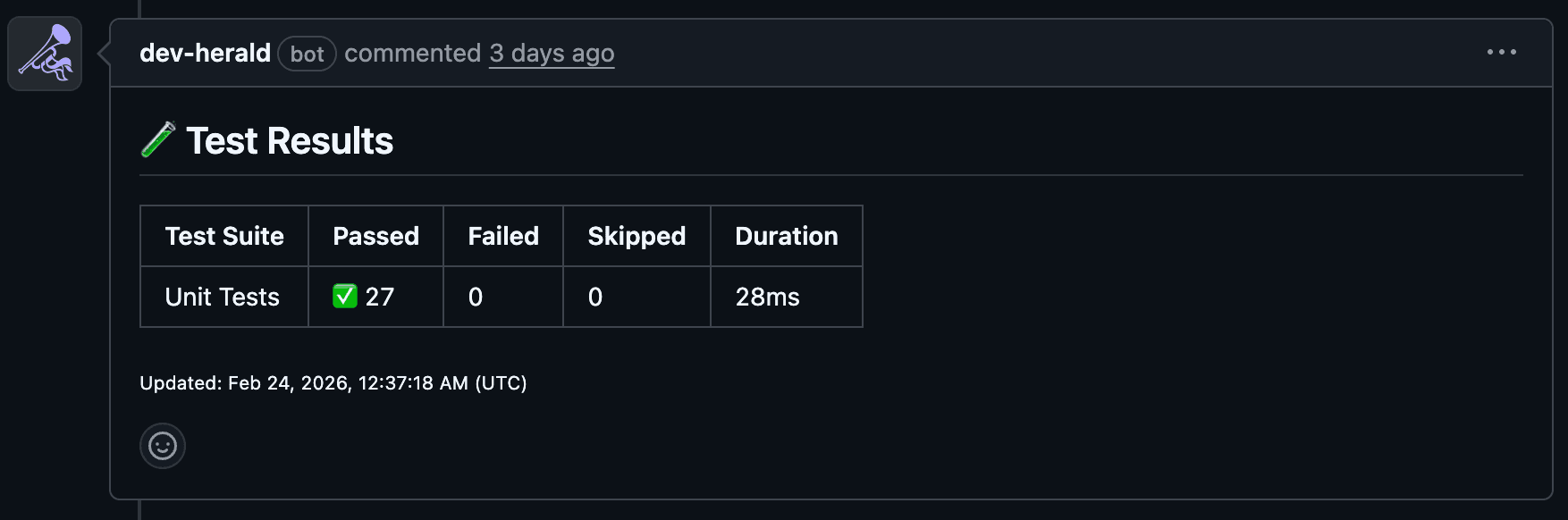
Post Vitest unit test results directly to your PRs — pass counts, failure details, and suite breakdowns in a single sticky comment.
Configure Vitest
Add the json reporter to your vitest.config.ts:
export default defineConfig({
  test: {
    reporters: ['default', 'json'],
    outputFile: {
      json: 'vitest-results/results.json',
    },
  },
})
Add the Workflow Step
- name: Run unit tests
  run: pnpm test:unit

- name: Post Test Results
  if: always()
  uses: dev-herald/comment@v1
  with:
    api-key: ${{ secrets.DEV_HERALD_KEY }}
    pr-number: ${{ github.event.pull_request.number }}
    sticky-id: test-results
    signal: 'TEST_RESULTS'
    test-results: |
      - name: Unit Tests
        path: vitest-results/results.json
if: always() ensures the comment posts even when tests fail — that’s when you need the visibility most.
Combining with Playwright
If you also run Playwright E2E tests, you can pass both suites to the same step and they’ll appear together in one comment:
- name: Run unit tests
  run: pnpm test:unit

- name: Run E2E tests
  run: pnpm test:e2e

- name: Post Test Results
  if: always()
  uses: dev-herald/comment@v1
  with:
    api-key: ${{ secrets.DEV_HERALD_KEY }}
    pr-number: ${{ github.event.pull_request.number }}
    sticky-id: test-results
    signal: 'TEST_RESULTS'
    test-results: |
      - name: Unit Tests
        path: vitest-results/results.json
      - name: E2E Tests
        path: playwright-results/results.json
Next Steps
- See the Playwright guide to set up E2E test reporting
- See the Test Results signal for all available options
- Learn how sticky comments work under the hood
Last updated on