Test Results
Surface test results directly in your PRs — all suites combined into a single comment.
Dev Herald currently supports Vitest and Playwright JSON output. More test runners coming soon.
Starting Simple
Configure Vitest to output a JSON report by adding the json reporter to your vitest.config.ts:
export default defineConfig({
  test: {
    reporters: ['default', 'json'],
    outputFile: {
      json: 'vitest-results/results.json',
    },
  },
})
Then add the Dev Herald step to your workflow:
- name: Run unit tests
  run: pnpm test:unit

- name: Post Test Results
  if: always()
  uses: dev-herald/comment@v1
  with:
    api-key: ${{ secrets.DEV_HERALD_KEY }}
    pr-number: ${{ github.event.pull_request.number }}
    sticky-id: test-results
    template: TEST_RESULTS
    test-results: |
      - name: Unit Tests
        path: vitest-results/results.json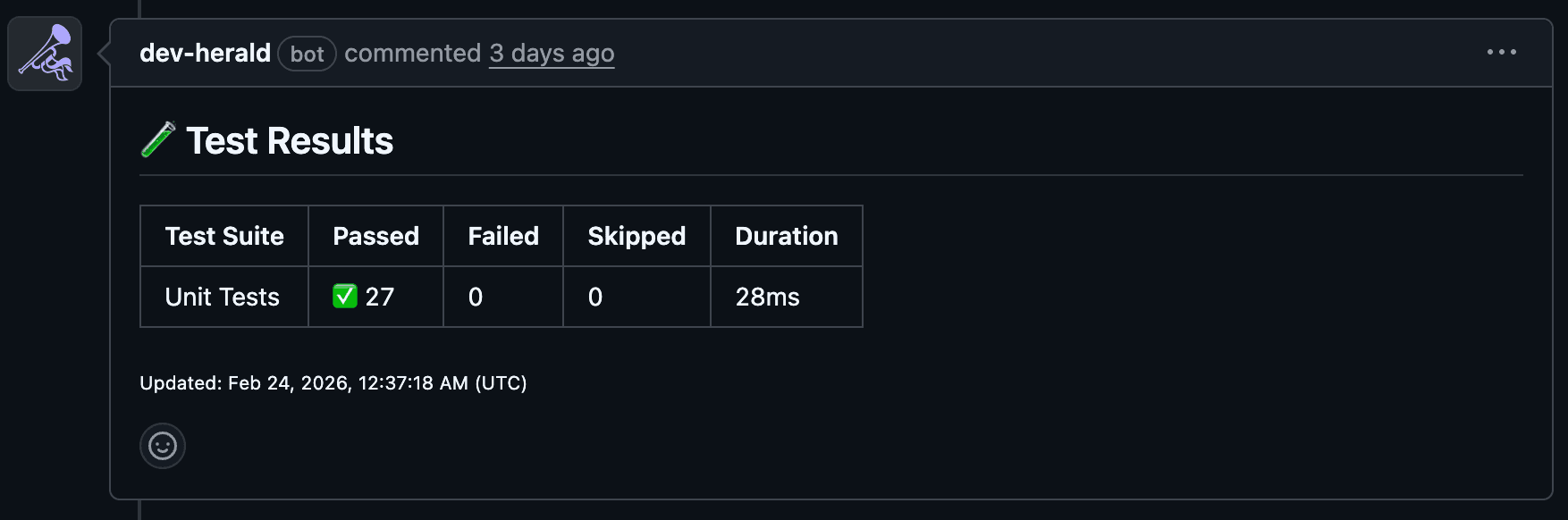
Adding E2E Tests
Got Playwright too? Configure it to output JSON in your playwright.config.ts:
export default defineConfig({
  reporter: [
    ['list'],
    ['json', { outputFile: 'playwright-results/results.json' }],
  ],
})
Then add both suites to the same test-results block — they’ll appear together in one PR comment:
- name: Run unit tests
  run: pnpm test:unit

- name: Run E2E tests
  run: pnpm test:e2e

- name: Post Test Results
  if: always()
  uses: dev-herald/comment@v1
  with:
    api-key: ${{ secrets.DEV_HERALD_KEY }}
    pr-number: ${{ github.event.pull_request.number }}
    sticky-id: test-results
    template: TEST_RESULTS
    test-results: |
      - name: Unit Tests
        path: vitest-results/results.json
      - name: E2E Tests
        path: playwright-results/results.json
The if: always() ensures the comment posts even when tests fail — that’s when you need the visibility most.
Next Steps
- See all available test results template fields
- Learn how sticky comments work under the hood
Last updated on